
Cape Cod 5 now offers EasySwitch
Body

Switching Your Banking to Cape Cod 5
Has Never Been Easier
 

Login to Online Banking to Use EasySwitch

Making the move to Cape Cod 5 is simpler than ever with EasySwitch, our secure service that helps you seamlessly switch your direct deposit and recurring bill payments to your new Cape Cod 5 account. Whether you're opening your first account with Cape Cod 5 or already bank with us, EasySwitch makes it easy to complete the transition with less paperwork and fewer steps.


Move Your Direct Deposit in Minutes

With EasySwitch, you can securely update your direct deposit in just a few simple steps and without the hassle of paper forms or lengthy processing times. No matter where you work, EasySwitch provides a simple path to moving your direct deposit.
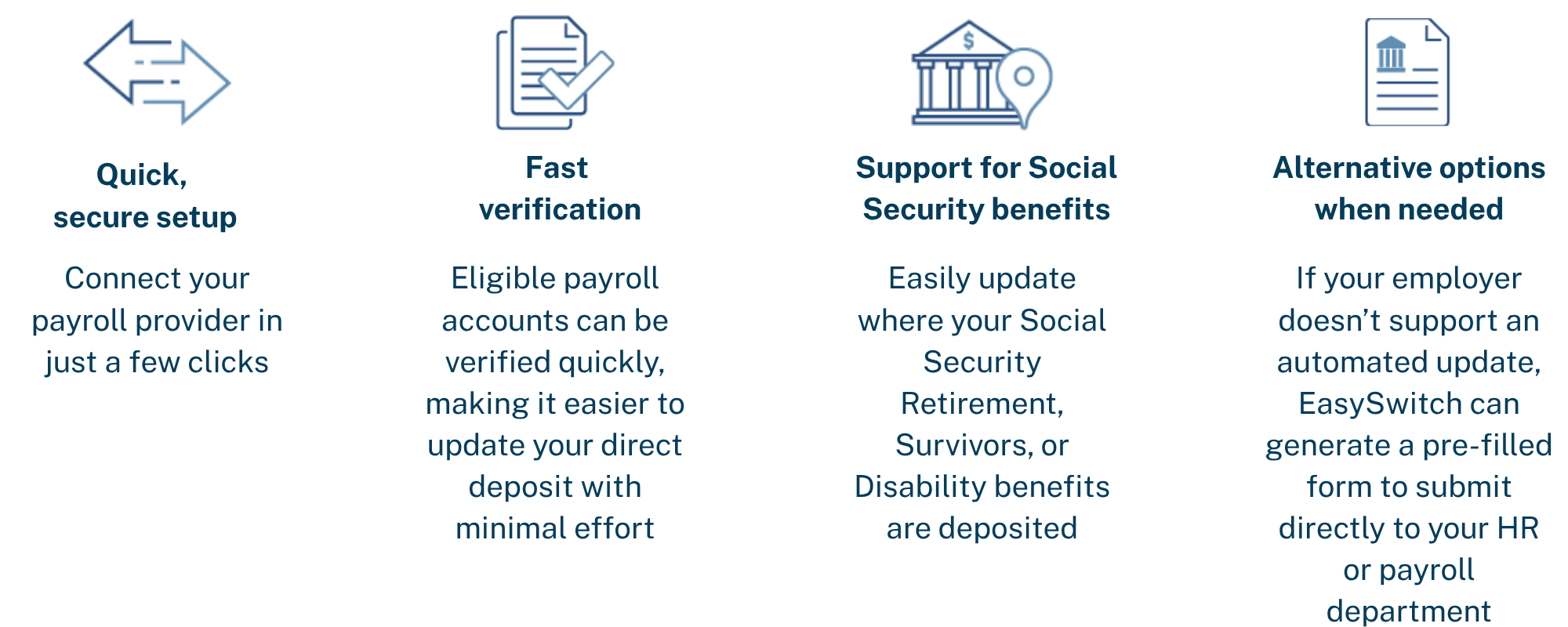
 

Move your deposits in minutes


Easily Update Your Recurring Bill Payments

Switching banks doesn't have to mean worrying about missed payments. EasySwitch helps identify many of your recurring bills and subscriptions so you can quickly update your payment method to your new Cape Cod 5 account or debit card. mobile phone
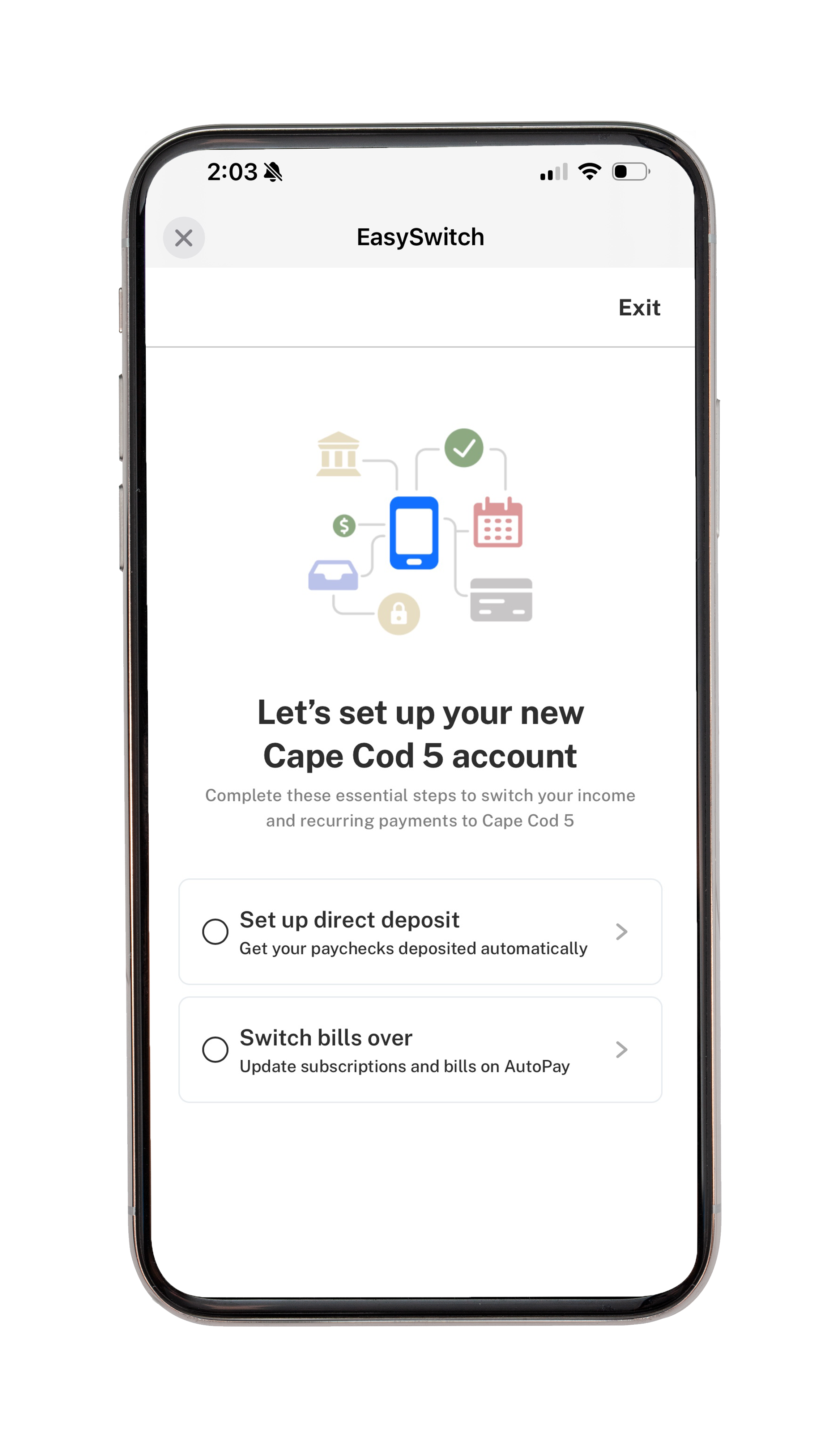


  • Securely connect your existing bank accounts or payment cards
  • Automatically identify many recurring bills and subscriptions
  • Update supported merchants with just a few taps
  • Receive step-by-step instructions when a manual update is required
  • Track your progress and confirm when you payment methods have been successfully updated


Banking Made Easy from Day One

At Cape Cod 5,  we believe switching banks should be simple, secure, and stress free. EasySwitch helps you transition your direct deposit and recurring payments to your Cape Cod 5 account quickly and confidently. With secure technology, real-time status updates, and an intuitive experience, you'll have everything you need to make the move with ease.


Ready to make the move to Cape Cod 5? 

Log in to Online or Mobile Banking or visit your nearest 
Cape Cod 5 Banking Center 
to begin using EasySwitch.

Login to Online Banking to Start Using EasySwitch


Frequently Asked Questions

How do I access the service to switch my direct deposit or automatic bill payments?
To access the service:
  1. Log in to Online Banking or Mobile Banking.
  2. Select Account Activation > Switch Now.
If you do not see the Account Activation option, select Organize Dashboard and add the Account Activation card to your dashboard.
  1. To set up direct deposit, click/tap Set up direct deposit and follow the prompts.
  2. To set up bill switch, click/tap Switch bills over and follow the prompts. 
Does it cost anything?
There is no cost. Switching your direct deposits and automatic bill payments is free. 
Is my information secure?
Yes. Data is encrypted in transit and at rest and is used solely to complete the direct deposit update request. We follow industry-standard security practices and never sell or share your personal information with third parties. 
How long does payroll switching take to complete?
Most users complete setup in just a few minutes. Once submitted, the change typically takes effect within 1-2 pay cycles depending on the employer's payroll processing schedule. 
When will the direct deposit be applied?
In most cases, the updated direct deposit will be active within 1-2 pay cycles. Exact timing depends on the employer's payroll cutoff dates. If the change is submitted after a cutoff, it may not take effect until the following cycle. 
Where can I find my Company ID?
If your Company ID is not automatically recognized, users can find their Company ID on their payroll provider’s portal, or they can reach out to their payroll administrator. 
Can I split my paycheck between multiple accounts?
Yes. Many employers support split deposits, which let you divide their paycheck between two or more accounts. For example, sending a fixed amount to savings and the rest to checking. This can be set up during the direct deposit switch flow. 
What is a Remainder Deposit Switch?
A Remainder Deposit Switch keeps all your existing paycheck allocations (such as savings contributions or split deposits) exactly as they are and redirects only the remaining portion of your paycheck to your new account. If you have no existing allocations, a Remainder Switch works the same as a Full Switch, your entire paycheck goes to the new account. 
Why am I receiving an error when I set up a flat amount or a percentage switch?
Some payroll providers have restrictions on remainder switches, and users could receive errors. If the user’s current direct deposit uses a flat dollar split, additional accounts may only be set to another flat amount. If it uses a percentage, additional accounts may only be set to another percentage. In both cases, users may complete a full switch. 
What is a Full Deposit Switch?
A Full Deposit Switch redirects your entire paycheck to your new account, replacing any previously set deposit destination. This is the simplest option if you want all your pay going to one place. 
Do I need to notify my employer?
No. The tool communicates directly with your employer's payroll system, so there's no need to fill out paper forms or reach out to HR separately. 
What if my employer isn’t supported?
If we're unable to connect to your employer's payroll system, you will be notified during setup. In that case, you can use the manual direct deposit form within the app or update your direct deposit directly with your HR or payroll department using your new account details. 
Can I change my switch request?
Yes, you can update your direct deposit or bill switch at any time by going through the setup flow again. 
Will Bill Switch, part of EasySwitch, automatically update my recurring bill payments?
The service automatically identifies many recurring bill payments. Some merchants offer 1-click switches, while others may redirect you to their website to complete the update in a guided switch.  
Can Bill Switch be used to switch recurring payments from an existing account at the Bank to a new account at the Bank?
No, Bill Switch can only be used to switch recurring automatic payments from external bank accounts to a bank account at CC5 [or Fidelity Bank]. Switching between internal accounts may be a future enhancement to the service. 
Who should I contact if I encounter an issue I cannot resolve?
Please reach out via Secure Message, Client Care, or to a Banking Center and your issue can be researched further. 
Need Help?